WordPress Salesforce Plugin
One flat fee for your entire team

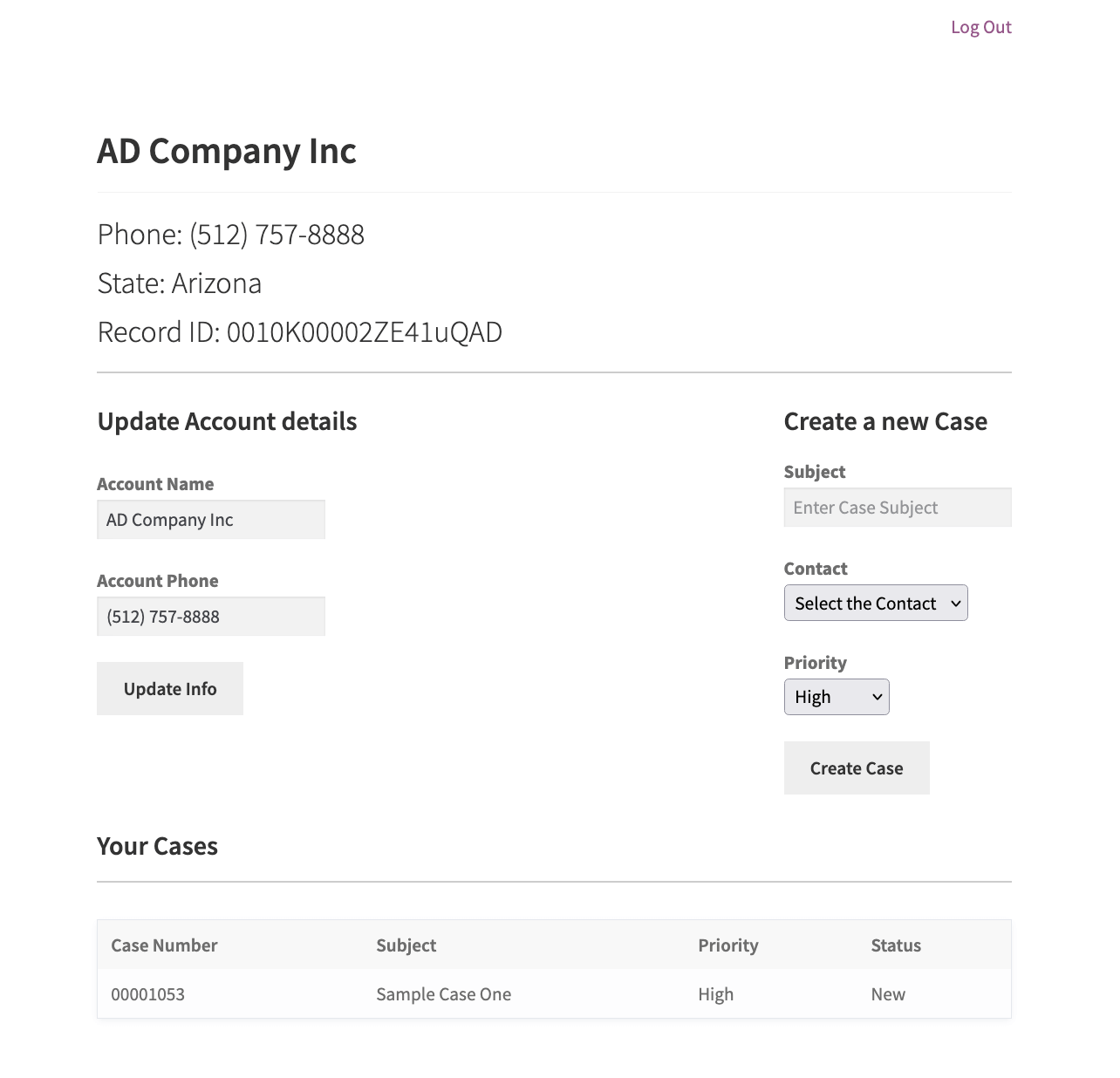
Set up secure pages on your website so customers can easily access and update their information on their own.
No more manual data entry or fixing errors. Sawfish connects real-time using the Salesforce API.
Calculated at $25/hr for 20 work days per month.
We represent over 75,000 public service workers and care providers in Oregon. Our leadership rosters were manually updated and always out of date. Sawfish plugin makes Salesforce data, like leadership rosters and steward lists, available on our public website. Members can find and contact union representatives without calling the Member Assistance Center.
Sarah Schneider
Service Employees International Union (SEIU) Local 503
Download & install the Sawfish plugin on your WordPress website
Create the External Client App on Salesforce and securely authorize the connection
Pick the object & fields to display on your WordPress site — go live instantly
You can also add multiple filters to show the exact set of records. eg: filter="LeadStatus='Open' AND CreatedDate = THIS_WEEK"
We are a healthcare staffing firm in Dallas, TX. We needed a plug-in that would allow for a direct API between our Salesforce and WordPress website — easy to build, maintain, and real-time without any crazy coding or expensive software.
Sawfish gave us the ability to publish all our jobs in Salesforce onto our website in real-time, dramatically increasing the number of job applicants, candidates, and placements with our clients.
Upon go-live, we saw immediate traction on published jobs, applications, candidate presentations, and overall job placements. Allen is amazing — very experienced, professional, responsive, and efficient — and the connection works like a charm!"
Frankie Farrar-Helm
Director of Marketing
Western Healthcare, LLC
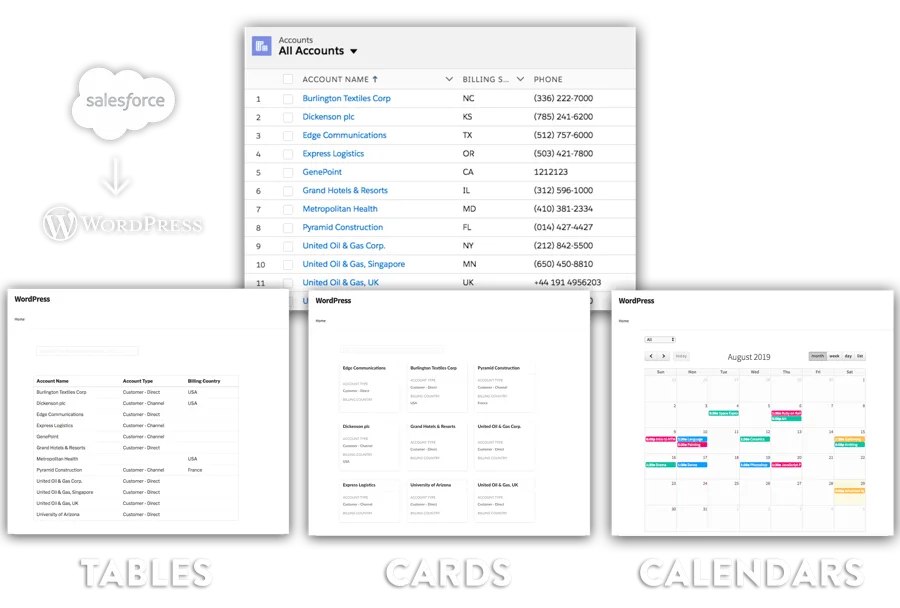
Present Salesforce data in style with cards or tables. Simple tools for complex filters — place in posts, pages or widgets.
Data pulled from Salesforce in real-time — not copied to two places. Make changes in Salesforce and watch WordPress update instantly.
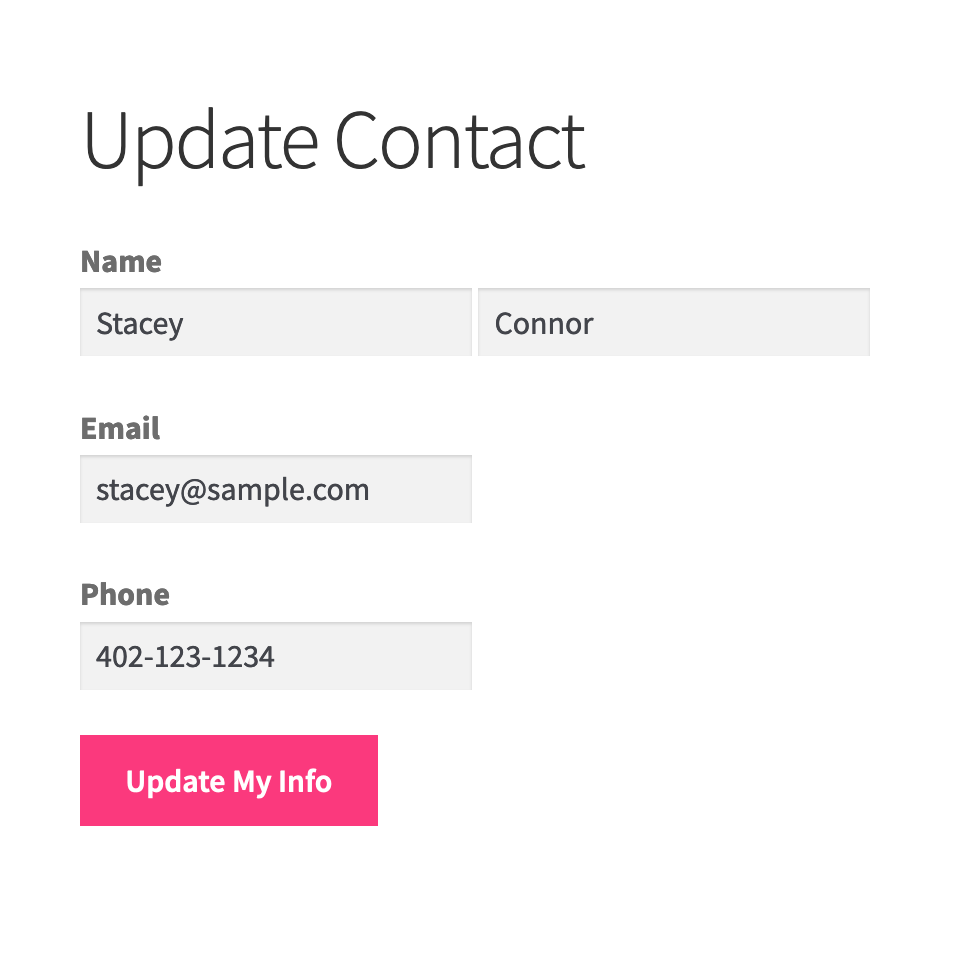
Forms to edit both custom and standard object records. Pre-populate fields and enable users to keep their Salesforce data updated.
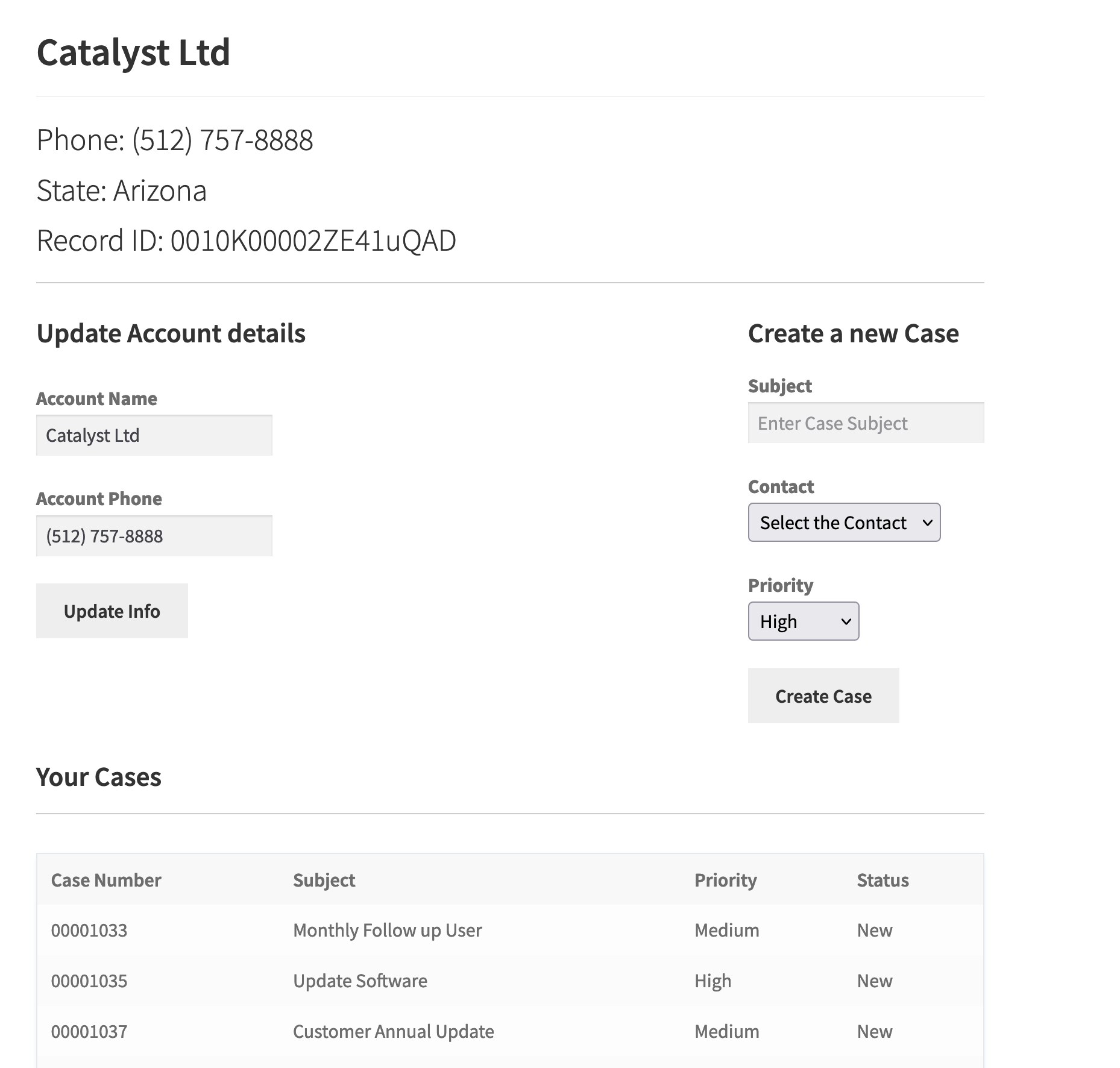
Create a portal for thousands of users at no extra cost. Each user securely sees and updates only their own records.
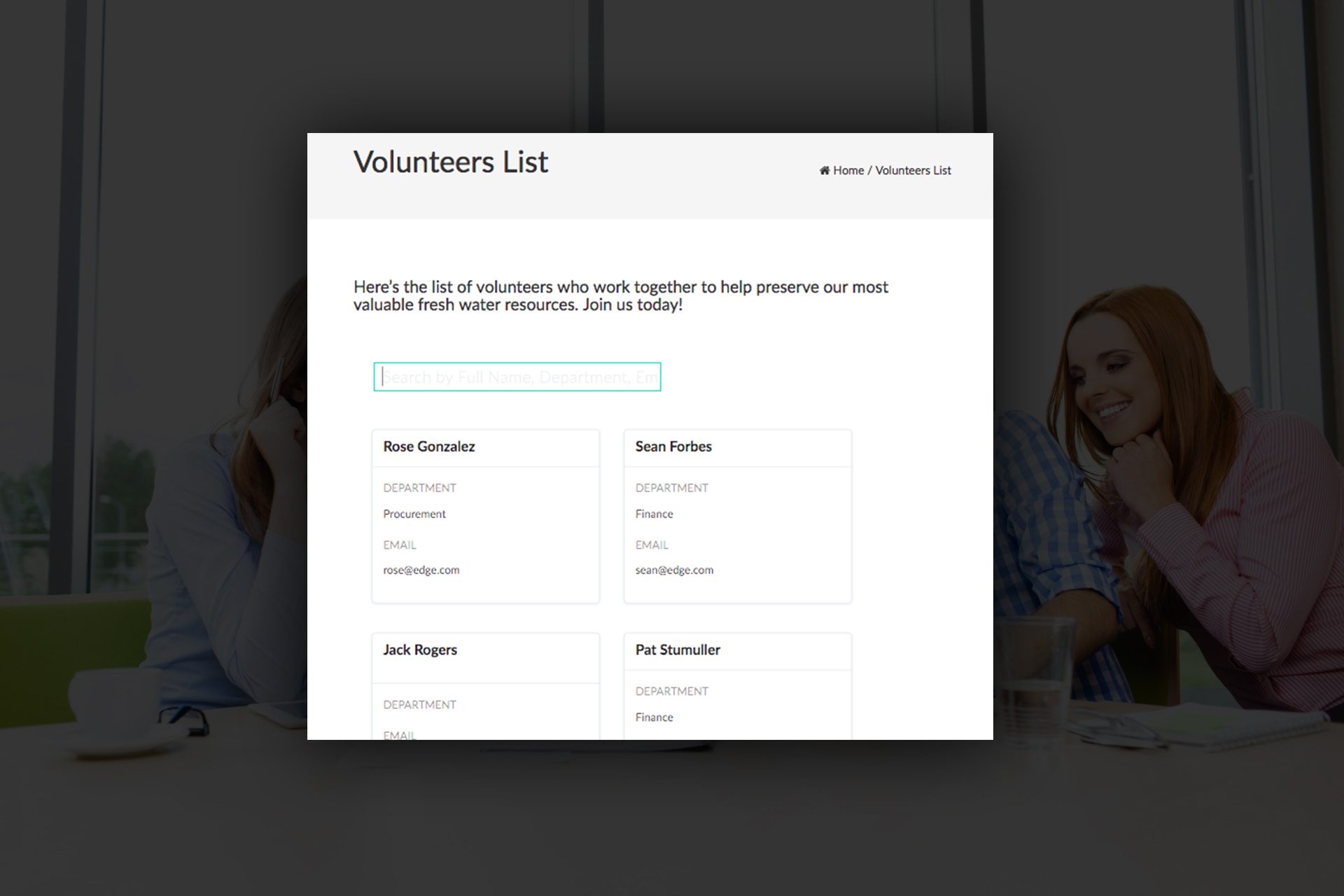
Display event calendars, volunteer sign-up sheets, donation totals, and Salesforce report charts directly on your WordPress pages.
Sawfish runs on some of the largest sites supporting millions of page loads a day, working with WordPress' performance systems.
Use your favorite page builder to create forms — create, pre-populate, and update records on Salesforce. Works with Elementor, Gravity Forms, Ninja Forms, and more.
Connect to any Salesforce report and create any chart type. Present real-time data to stakeholders who don't have Salesforce access.
Designed to integrate seamlessly with your WordPress theme. Fluid layouts update dynamically by screen size with full customization support.
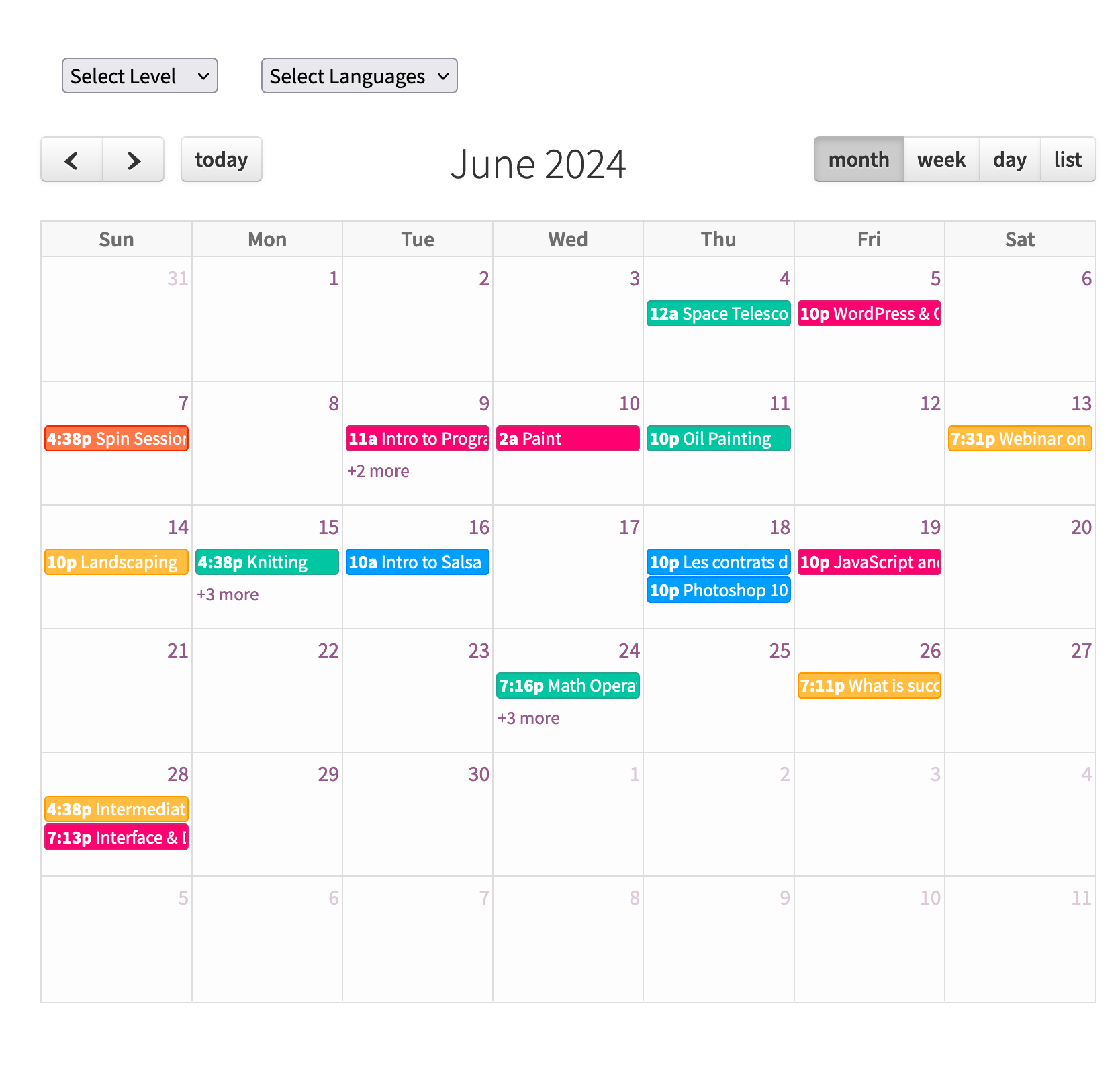
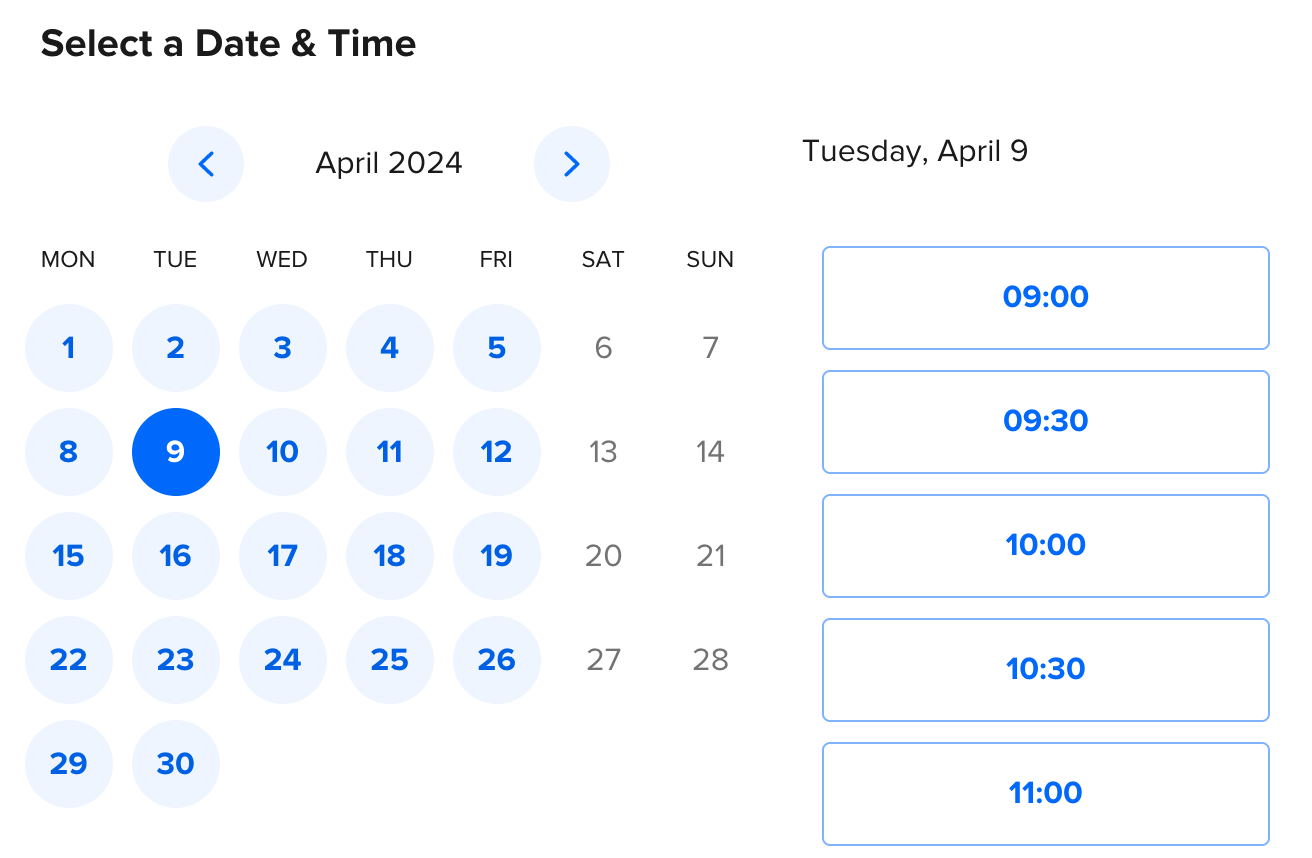
Display upcoming volunteer shifts on a calendar without iframes. Volunteers click a shift and sign up using a form.
Build pages combining page text with Salesforce field values using {!FieldName} format. Works in text content, custom HTML or JavaScript — full control over style and format.

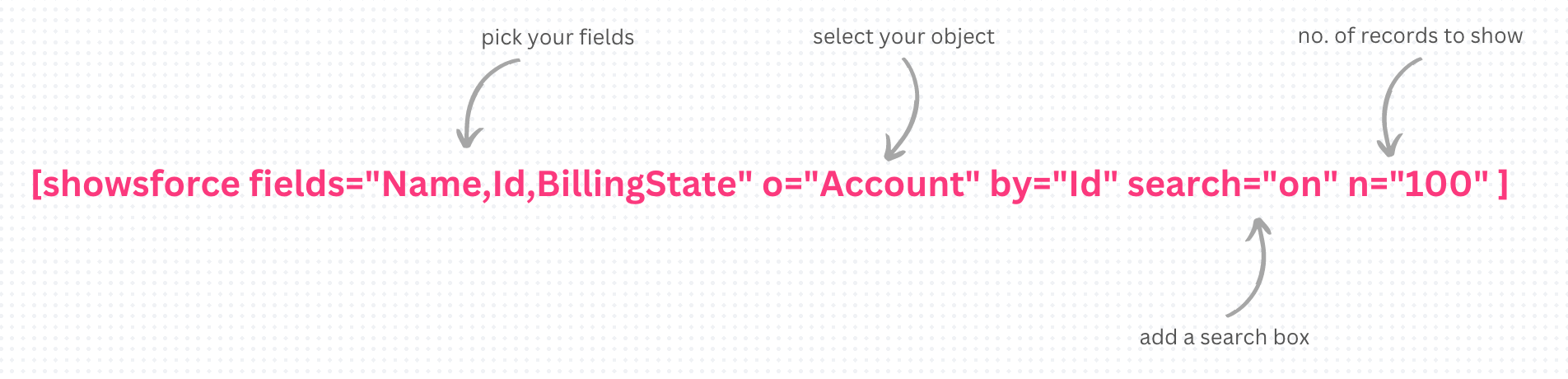
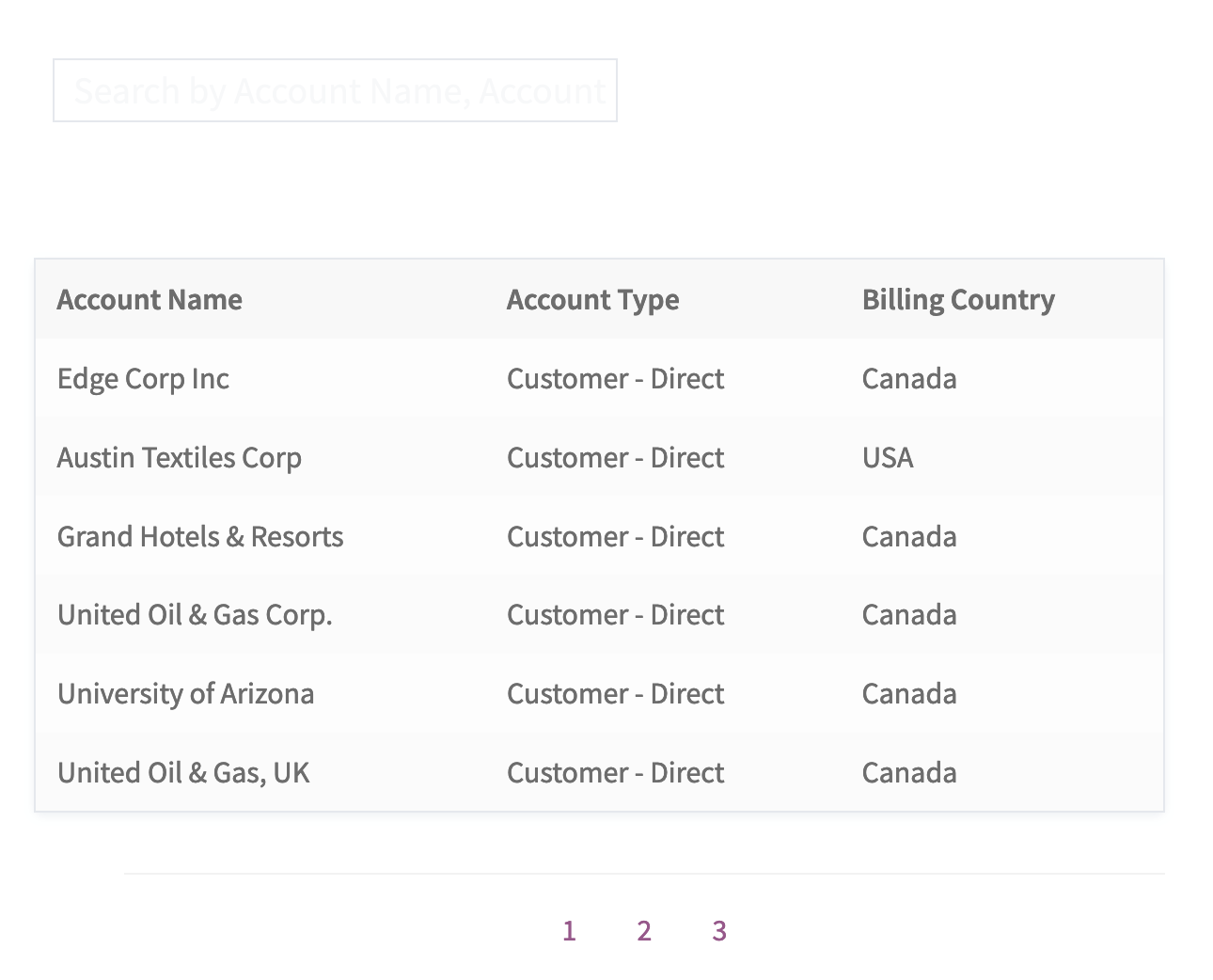
Select your fields and instantly create a searchable, sortable table from any custom or standard object. Your users can click on a row to view more fields on a new detail page.
[showsforce fields="Name,Type,BillingCountry" o="Account" t="1" by="Id" n="100" page="6"]
1. Click to copy 2. Paste into Pages, Posts or Page Builder 3. Done! 😎

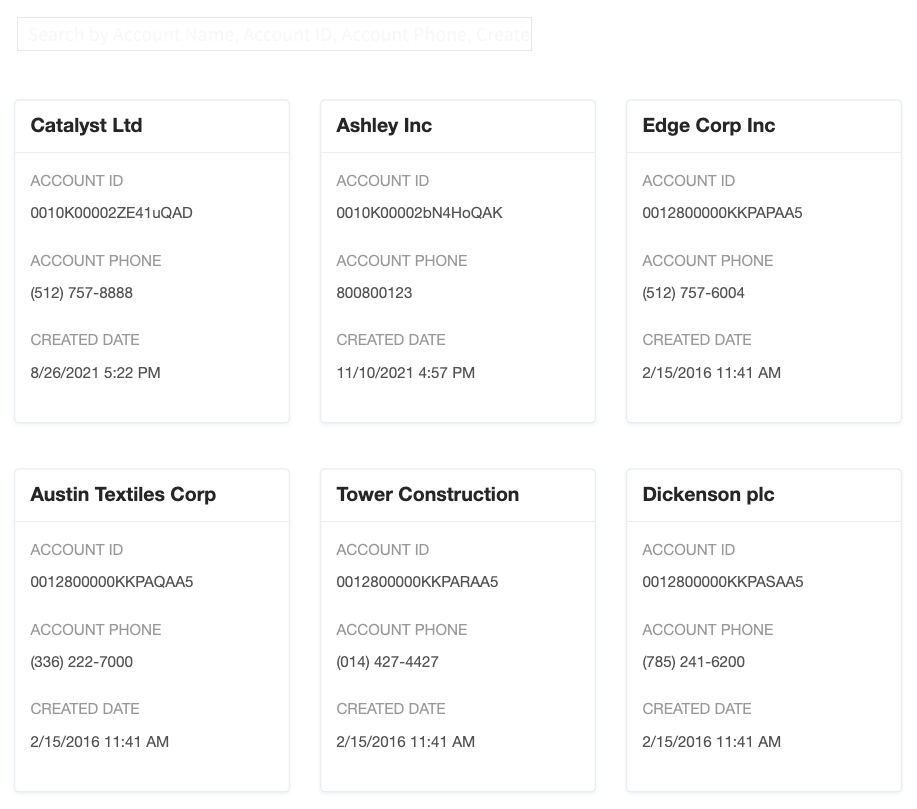
Select your fields and instantly create a searchable set of cards from any custom or standard object. Your users can click on a card to view more fields on a new detail page.
[showsforce fields="Name,Id,Phone,CreatedDate" o="Account" by="Id" n="100" filter="Active__c=true"]
1. Click to copy 2. Paste into Pages, Posts or Page Builder 3. Done! 😎

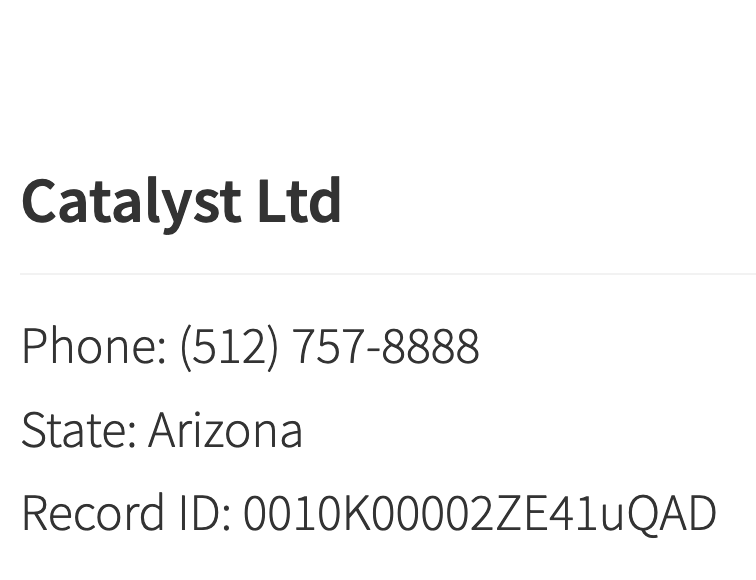
Make your own custom layouts using HTML and field info. Using filters you can directly specify the record(s) you'd like or connect from Card/Table layouts. Supports JavaScript.
[sectionsforce o="Account" by="Id" n="1"]<h2>{!Name}</h2> Phone: {!Phone} State: {!BillingState}[/sectionsforce]

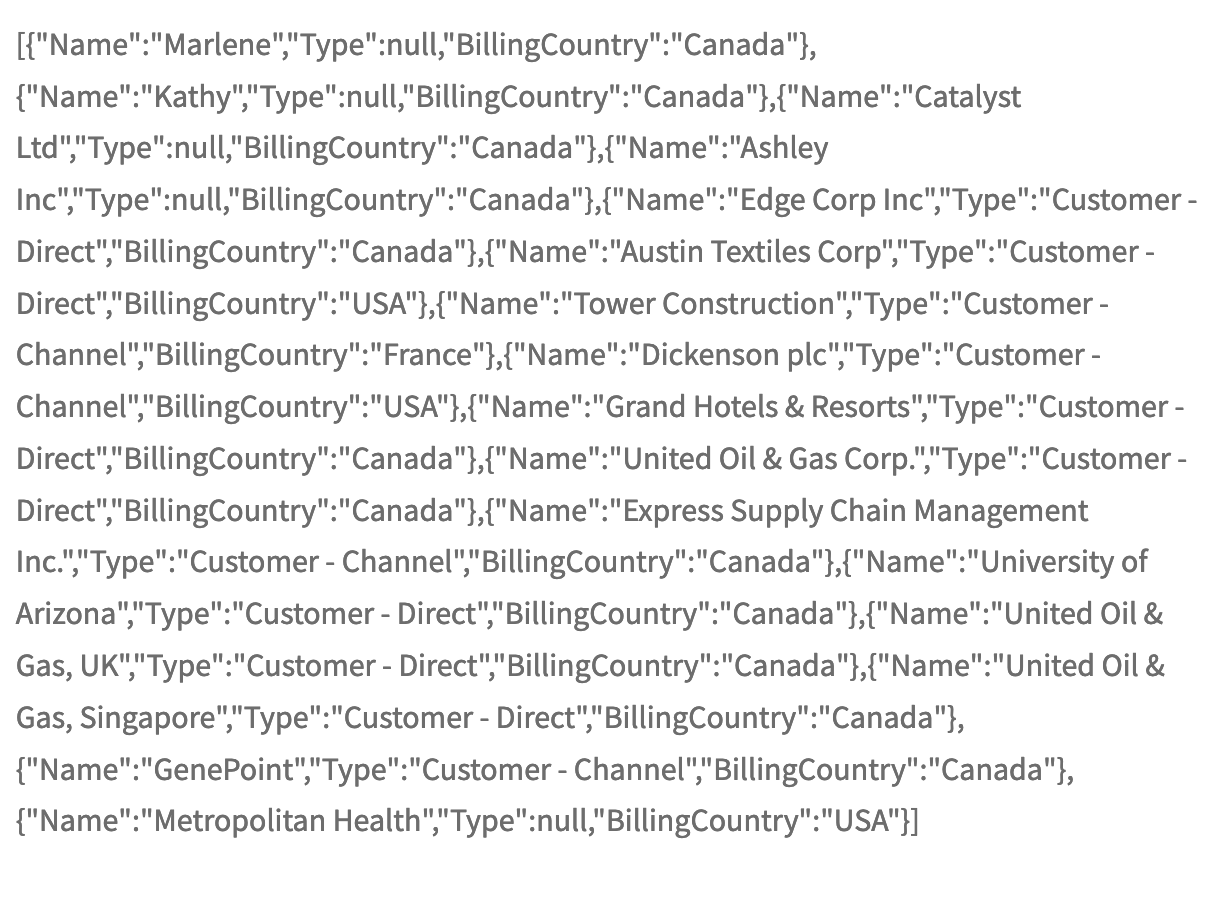
Build advanced front-end interfaces like maps, or use Salesforce records inside custom WordPress Templates/PHP files via do_shortcode().
[showsforce fields="Name,Type,BillingCountry" o="Account" t="3" by="Id" n="100" filter="Active__c=true"]

Give protected WordPress login access to unlimited users. The plugin matches them by WordPress email and shows their specific Salesforce information.
[sectionsforce o="Contact" by="Id" n="1" filter="Email = $WPEmail"]<h2>{!Name}</h2> Phone: {!Phone}[/sectionsforce]

A more stylish Volunteers for Salesforce calendar — set your own colors, filters and easily connect to a Sign Up form. No embeds, no iframes, all in WordPress.

Show upcoming events in Calendar layout with Month, Week, Day and List views. Easily connect to Registration Links or set up an event registration form.

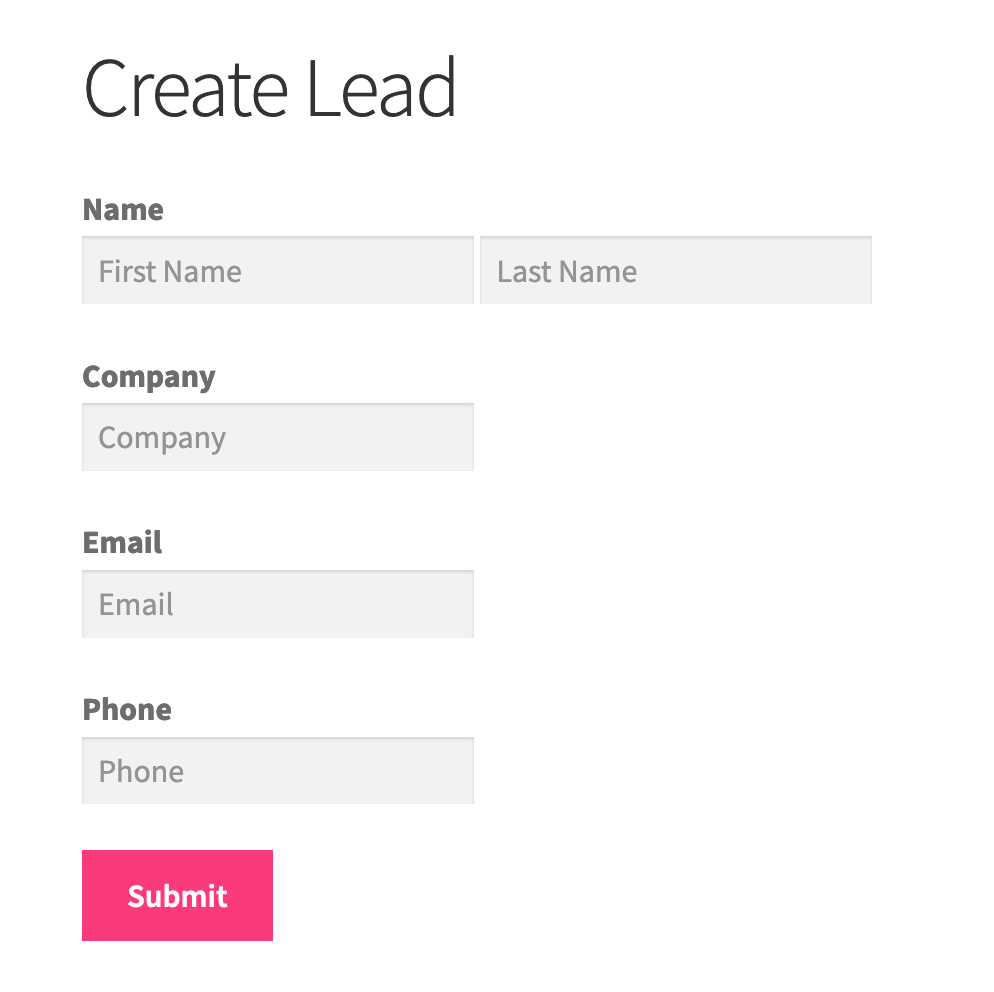
Send info from your WordPress site to Salesforce, connect to any custom or standard object. Create forms can be set up using a free drag and drop builder OR Elementor Forms.
Check documentation on forms →
Give your users the ability to update their Salesforce info from your WordPress site, connect to any custom or standard object.
Check documentation on forms →
Show the latest information from your Salesforce Reports on WordPress. Customize with labels, colors and chart types — bar, area, line, pie, donut and gauge charts.
[reportsforce id="00O0K00000AE8e1UAB" summary="2" chart="area"]
Check documentation →
Set up secure pages so customers can access and update their information on their own. No manual data entry. Sawfish connects in real-time using the Salesforce API.
Show Salesforce events as a beautiful interactive calendar on your WordPress site, with links to detail pages.
Build anything you like with real-time Salesforce data. Embed emails, HTML or custom scripts onto your text, HTML or custom WordPress pages.
Rearrange the way you need. Sort by any field and fine-tune results by specifying additional conditions — no code required.
Give users powerful real-time search across any Salesforce object, with instant results and no page reload.
Use shortcodes, Gutenberg blocks, or page builder widgets to place your Salesforce content anywhere on your WordPress site.
The Sawfish Plugin sets up a live connection to your Salesforce instance. You can show Salesforce records and also link any form created on your website to Salesforce. Update and Create records using this feature.
Simply select the Salesforce report you want and create a neat dashboard in seconds! The charts get updated instantly with new updates made on Salesforce. Set up bar charts, pie charts, gauges and metrics matching your site styling and color theme.
Ideal for: Impact Reports, Donation Campaigns, Volunteer Dashboards & more...
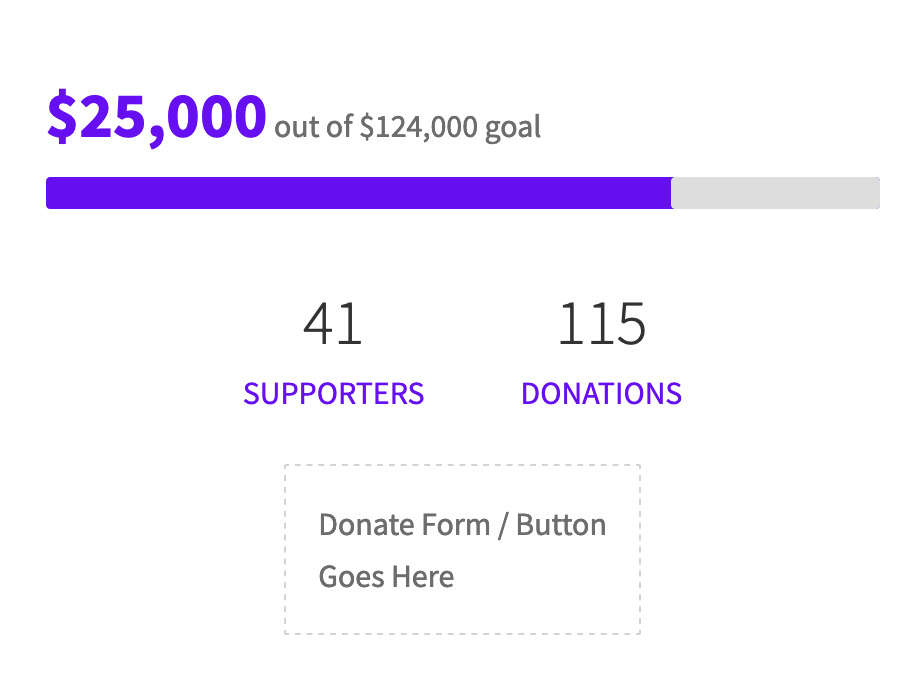
A proven way to instantly increase donations. Rally your supporters towards your goal! Using the Sawfish plugin you can add live Campaign donation totals that update after each donation. Set it up alongside your donate button or form in a matter of seconds.
At first we wanted to use the EVENTS CALENDAR plugin and download salesforce events with .ics as it is not possible to connect salesforce data yet.
Sawfish plugin helped us add a salesforce calendar that is updated automatically. The view is very cool and the new feature to filter with fields and added color options is amazing progress!
I also want to add that the after sales service is very impressive, Allen spent a lot of time to hear me and find solutions, this is the first time I have had help like this."
Jeremy Petoux
Entrepreneur
Save thousands on development costs — one flat fee for your whole team. Trusted by 200+ organizations.
Annual
per month · paid annually
Can be used by everyone in your team!
✓ Create Unlimited pages with Cards, Tables, Calendars using Salesforce data
✓ Custom layouts with images, links, YouTube URLs
✓ WordPress-Salesforce logins for unlimited users
✓ Real-time info from Salesforce
✓ Connect to ANY form
✓ Update and Create Salesforce records
✓ Connect Elementor Pro forms
✓ Real-time Charts & Dashboards
✓ Dedicated Support & Installation Assistance
✓ Latest Feature Updates
2-Year Plan
per month · paid every 2 years
Can be used by everyone in your team!
✓ Create Unlimited pages with Cards, Tables, Calendars using Salesforce data
✓ Custom layouts with images, links, YouTube URLs
✓ WordPress-Salesforce logins for unlimited users
✓ Real-time info from Salesforce
✓ Connect to ANY form
✓ Update and Create Salesforce records
✓ Connect Elementor Pro forms
✓ Real-time Charts & Dashboards
✓ Dedicated Support & Installation Assistance
✓ Latest Feature Updates
Set up a neat customer web form online, empower them to create and update info to Salesforce. Less errors, less manual entries. All without add-ons or extra costs AND keep the same design theme as your site.
| Sawfish Plugin | SF Dynamic Forms | SF Screenflow | Formstack | FormAssembly | |
|---|---|---|---|---|---|
| What is it? | WordPress plugin — show records & send data | Salesforce page layouts inside Salesforce | Salesforce data capture in steps | Workflow platform with forms | Form building platform |
| Where are forms designed? | Your website | Salesforce | Salesforce | Formstack server | FormAssembly server |
| User submissions? | Unlimited | Unlimited | Unlimited | 500–2000/mo | Unlimited |
| Form styling? | Exactly the same as your website | Salesforce UI | Salesforce UI | Formstack builder | FormAssembly builder |
| Who can access it? | Publicly accessible via your website | Salesforce users only | Salesforce users only | Accessible via link | Accessible via link |
| How much? | $19 per month (whole org!) |
No extra cost | No extra cost | $400+ /month/org |
$83+ /month/user |
The Sawfish Plugin sets up a live connection between your WordPress website and Salesforce, letting you display real-time data, connect forms, and build login portals.
Nope. The Sawfish interface is designed to make it easy for non-developers to connect and display Salesforce data on WordPress.
Sawfish uses OAuth 2.0 — the same secure authorization framework used by "Login with Google." It's straightforward and we have step-by-step instructions.
A feature in Salesforce that allows external applications like Sawfish to connect securely. We have easy step-by-step instructions to help you set it up.
Yes! Sawfish has smart layouts that are designed to work well on smaller screens as well. Keep those fields coming. ┬─┬ ノ( ゜-゜ノ)
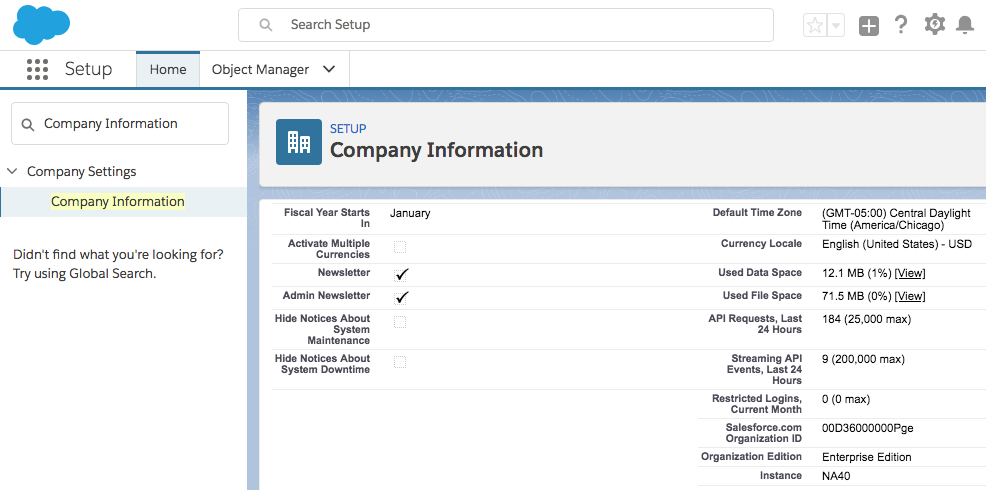
A few editions don't support API Access needed to connect with your website. It would NOT work if you have Contact Edition, Group Edition or Professional Edition.
Yes!
We have the same pricing for all users. Most of the current Sawfish plugin users are non-profits :)
The event colors are completely customizable so you can set it to show your brand colors.
Step-by-step documentation to get the most out of Sawfish
Step-by-step guide to setting up your Salesforce External Client App
Connect Elementor Forms to SalesforceSend Elementor form submissions directly into Salesforce records
Setup Salesforce Web-to-Lead & MoreConfigure Web-to-Lead, Web-to-Contact, Web-to-Account with examples
Show Salesforce Event Calendar on WordPressDisplay a Salesforce event calendar and link to detail pages
Create a Connected App — Salesforce Summer '25New External Client App setup guide for Salesforce Summer '25
Set Up Salesforce Dashboards & ReportsAdd charts, dashboards and reports to your WordPress site
Connect Any WordPress Form to SalesforceGravity Forms, WP Forms, Ninja Forms, Contact Form 7 & more
Make WordPress a Salesforce PortalTurn your WordPress site into a full self-service Salesforce portal
Export Salesforce to CSV / ExcelLet visitors download Salesforce data as a CSV or Excel file
We have sent you the payment confirmation to your email. We will reach out to you shortly with the installation file of the latest version.
If you would like to receive the download to another id, send us a quick email to
You can also read the installation steps and guide here.
Click the Gear icon on the top-right to open Setup and type in 'Company Information', then check the Organisation Edition field.